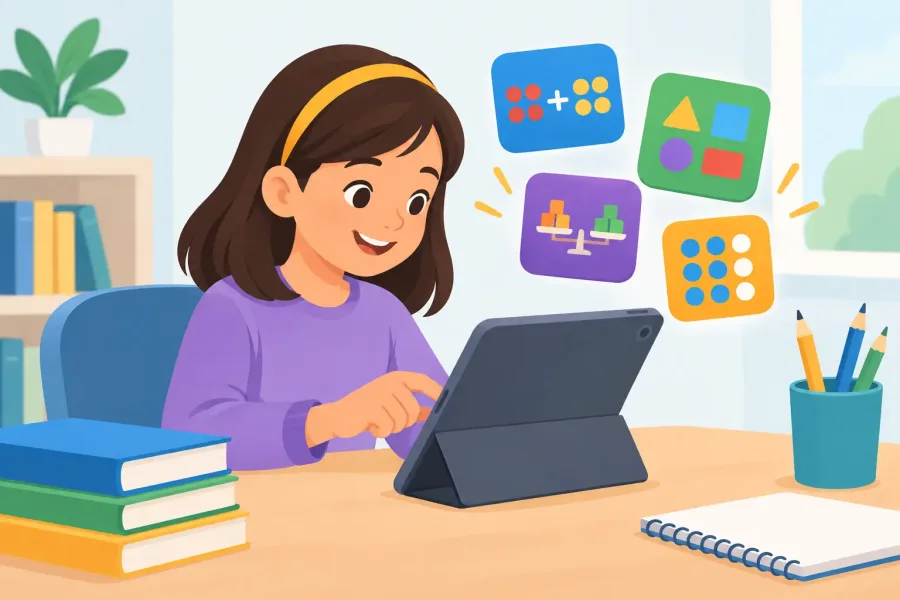

A child misses three fraction questions, then taps through a flashy reward screen and starts guessing. That is the moment many parents realize that not all math apps are built for learning. A good app should make practice easier to start, easier to understand, and easier to repeat. It should not turn every problem into a detour.
For families supporting K-8 learners, the best choice is usually not the app with the loudest characters or the longest feature list. It is the one that gives a child clear instruction, the right amount of challenge, and a safe place to practice without ads, interruptions, or pressure to keep buying extras.
What Math Apps Should Actually Do
Math practice works when kids can connect a problem to a skill. A student learning multiplication needs repeated exposure to facts, patterns, and word problems. A student working on fractions needs to see what a fraction represents before being asked to add unlike denominators. An app that only serves random questions may fill time, but it can miss the reason a child is stuck.
Useful math apps normally do three jobs. They introduce or reinforce a concept, give the student practice, and show what needs more work. The balance matters. Too much explanation can feel like another worksheet on a screen. Too much game play can bury the lesson. Too many questions at once can frustrate a learner who only needs a short, successful session.
Look for practice that feels focused. A child should be able to work specifically on multiplication facts, equivalent fractions, place value, integers, one-step equations, or another defined skill. That makes it easier for parents and teachers to support the work at home. Instead of asking, "How did math go?" you can ask, "Which multiplication facts slowed you down today?"
Practice should adjust without becoming mysterious
Adaptive study plans can be helpful because they give extra attention to weak areas. But parents should still be able to understand what the child is practicing and why. If an app keeps moving a learner ahead before the basics are solid, the student may collect points while falling further behind in class.
The strongest systems use missed answers as useful information. They return to the skill, offer another example, and bring it back later for more practice. That is more valuable than simply marking an answer wrong and moving on.
Choose the Right Math App for the Skill
“Math” is a wide category. A kindergartner counting objects, a fourth grader learning long division, and an eighth grader solving linear equations do not need the same kind of support. Before downloading anything, identify the immediate goal.
For early elementary learners, apps should make numbers concrete. Counting, comparing quantities, addition, subtraction, and basic shapes work best when children can see relationships instead of memorizing a button pattern. Read-aloud support can also help emerging readers work independently without turning every math session into a reading test.
For grades three through five, fluency and understanding need to work together. Multiplication and division facts matter, but so do arrays, place value, measurement, fractions, and decimals. An app that mixes quick fact practice with visual explanations and short quizzes can be more useful than one that treats speed as the only measure of success.
For middle school learners, look for clear pre-algebra and Algebra 1 practice. Negative numbers, ratios, expressions, equations, graphing, and proportions are easier to manage when lessons break each skill into small steps. A student who cannot isolate a variable yet does not need a giant mixed review. They need practice on that exact move.
It also depends on the child. Some students enjoy timed challenges after they understand the material. Others freeze when a clock appears. Timers can build fluency, but they should be an option, not the entire learning experience.
Why Offline, Ad-Free Math Apps Matter
A math app is often used in the least convenient places: the waiting room, the back seat, after school care, a grandparent's house, or a home internet connection that is already busy. Offline access means practice can continue without a login problem, a buffering video, or a dropped signal.
For families, offline-first design also creates a simpler boundary. The app opens, the child practices, and the session ends. There is no need to hand a child a device connected to a feed, a browser prompt, or an ad network designed to hold attention.
Ads are not a minor issue in kids' learning tools. They interrupt concentration, create accidental taps, and can make a child feel like the app is a game store instead of a study tool. A family-safe math app should keep the learning space clear. It should not require a parent to watch over every screen just to prevent an unrelated ad from appearing.
Privacy is part of that same decision. A child should be able to practice math without being treated like a source of engagement data. Simple, self-contained apps have a practical advantage: less account management, fewer permissions, and fewer distractions between the student and the lesson.
Build a Routine That Does Not Turn Into a Fight
Even a well-made app cannot replace a routine. The good news is that most children do not need an hour of extra math every night. Ten to fifteen focused minutes, a few days each week, can give them the repetition they need without exhausting everyone.
Start with a narrow target. If a teacher says fractions need work, begin with a skill the child can name, such as identifying equivalent fractions or comparing fractions with the same denominator. Let the app handle a short practice set, then ask the child to explain one answer out loud. Explanation reveals more than a score alone.
Use results as a conversation starter, not a verdict. If the child misses several problems, avoid calling it failure or saying they were not paying attention. Ask what felt confusing. Was it reading the question, remembering a rule, or doing the calculation? A pattern of wrong answers often points to one missing building block.
Printable worksheets can help here because they move practice off the screen. A child can solve a few problems with pencil and paper, show their work, and compare that process with the app's questions. This is especially useful for multi-step problems, where tapping an answer can hide whether the student understands the steps.
Keep rewards connected to effort
Badges, points, and small milestones can encourage consistency. They work best when they recognize useful habits: finishing a practice set, returning to a hard skill, or improving accuracy. Rewards lose value when they arrive every few seconds, regardless of whether the child is thinking.
Parents can keep it simple. After a week of steady practice, let the child choose a family activity, extra story time, or the next game night pick. The reward does not need to be expensive. The point is to show that persistence matters.
Features Worth Looking For Before You Download
A useful math app should tell you what it covers without making you hunt through menus. Grade-level labels are helpful, but skill-level detail is better. Parents should be able to see whether the app includes fractions, multiplication, pre-algebra, Algebra 1, quizzes, or worksheets before handing over a device.
Look for clear feedback, not just a green check or red X. Kids benefit from seeing an example, a hint, or an explanation that helps them try again. The right answer alone does not teach much if the student has no idea why their method failed.
Also check whether the app respects different learning needs. Read-aloud support can help children who are still building reading confidence. Spanish-language options can make practice more accessible for families. Short sessions, adjustable difficulty, and printable materials give parents more ways to fit math into real life.
Mathlings from TapForge Studios is built around that practical approach: child-friendly math practice, adaptive study support, quizzes, and printable reinforcement in an ad-free, offline-first format. The goal is straightforward - give families a tool that helps kids practice without adding another source of screen-time clutter.
A Better Standard for Kids' Math Practice
The best math apps do not promise to make every child love every worksheet or instantly erase a difficult unit. They give children a calmer place to build skill through explanation, repetition, and visible progress. They give parents enough clarity to know what their child is working on. And they stay useful when Wi-Fi is weak, attention is short, and the kitchen table is the only classroom available.
Choose a tool that makes the next practice session easier to begin. A small, steady win on one skill is often the work that makes the next chapter feel possible.