
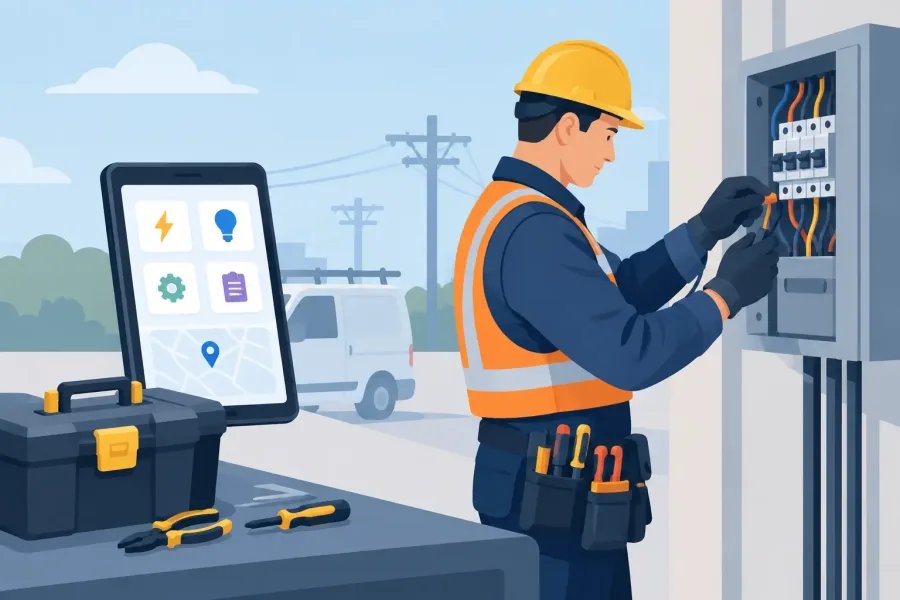
A conduit run does not wait for a cell tower. Neither does a service call in a basement, a panel schedule correction in a concrete high-rise, or a troubleshooting job behind a metal mechanical room door. The best offline electrician utilities keep the information and calculations you need on the phone you already carry, even when the signal is weak, blocked, or gone.
For electricians, apprentices, and low-voltage technicians, offline access is not a nice extra. It is the difference between checking a reference in seconds and losing time hunting for a connection. The right tools should be fast, specific, and built for real field conditions rather than for collecting subscriptions or showing ads.
What Makes an Electrician Utility Worth Keeping Offline?
An offline app has to do more than open without Wi-Fi. Its useful content, core calculations, saved work, and search function need to remain available locally on the device. If a calculator sends data to a server before it can produce an answer, it is not truly useful when connectivity fails.
The strongest field utilities also stay focused. An electrician does not need a crowded dashboard full of features that belong in an office suite. A good app gets you to a voltage-drop estimate, a conductor fill check, a study question, or a saved note with as few taps as possible.
Accuracy matters just as much. Electrical work has real consequences, so utility apps should clearly identify their assumptions, inputs, and units. They should support your work, not replace the National Electrical Code, manufacturer instructions, approved plans, local amendments, or the authority having jurisdiction.
The Best Offline Electrician Utilities Cover Five Jobs
No single tool is best for every truck, crew, or license level. A residential service electrician may need fast load and voltage-drop math. A commercial installer may care more about raceway fill and panel documentation. Someone preparing for a journeyman or master exam needs practice that works during breaks without draining a data plan.
Still, the most useful offline setup usually covers these five jobs:
- calculation tools for common field math
- searchable electrical and life-safety reference material
- exam preparation with realistic practice questions
- field notes, checklists, and photo or text records saved on-device
- unit, wire, and measurement helpers that reduce routine conversion errors
This is a practical toolkit, not a replacement for professional judgment. Use it to confirm your work, organize details, and save time on repeat tasks.
Calculation tools for the work that cannot wait
Offline calculators earn their place when they handle a defined task well. Voltage drop, conductor sizing estimates, Ohm's law, power formulas, transformer relationships, box fill, conduit fill, and basic unit conversions are common examples. A calculator that shows the formula or assumptions is more valuable than one that produces a bare number with no context.
Look for inputs that match the way you work. If you routinely measure in feet and need to account for phase, conductor material, voltage, current, or temperature conditions, those options should be clear rather than buried. The result should be easy to review before you act on it.
There is a trade-off here. A simple calculator is faster, while a more detailed one can better reflect complicated conditions. Keep both needs in mind. For a quick estimate, speed wins. For a design decision, verify every input and compare the result with the applicable code tables, plans, and engineering requirements.
Reference tools that search locally
A searchable reference can save a lot of thumb-scrolling, especially when you know the term but not the section. Offline search is particularly useful in parking structures, utility rooms, new construction, and rural sites where coverage is inconsistent.
Be careful about what the app actually includes. Electrical codes and standards are revised, protected materials, and sometimes adopted differently by local jurisdictions. A reference tool should identify the edition it covers and should not be treated as proof that a particular installation is compliant. Your locally adopted code cycle and the AHJ still control the job.
For fire alarm, sprinkler, and emergency responder communications work, the same rule applies. References tied to NFPA 72, NFPA 25, hydraulics, ERCES, or ERRCS can be valuable in the field, but current project specifications, inspection requirements, and local amendments remain part of the answer.
Exam prep that works between calls
Offline exam prep is one of the most practical utilities for apprentices and technicians working toward a credential. Ten focused minutes in a truck or on a break can add up, but only if the app is ready when you open it.
The best study tools go beyond a stack of flashcards. Look for question banks organized by topic, answer explanations, progress tracking stored on the device, and timed simulations that build pacing. For NICET candidates, practice should reflect the kind of code-based reasoning and time pressure that make the actual exam difficult.
Do not confuse question volume with quality. A smaller set of well-written questions with clear explanations can teach more than thousands of vague prompts. The point is to find weak areas, understand why an answer is correct, and come back to those topics until they stick.
Notes and checklists that stay with the job
A simple offline notes tool can prevent a return trip. Record panel identifiers, device locations, test readings, room numbers, material counts, or questions for the foreman while you are standing in front of the work. A checklist can also help with repeated tasks such as service-call intake, pre-test verification, closeout items, or inspection preparation.
Offline storage is helpful, but it creates a responsibility: protect the device. Use a screen lock, back up work records according to company policy, and avoid placing sensitive client or access information in an app that does not need it. Privacy-conscious apps that do not require unnecessary accounts or permissions are generally easier to trust on a work phone.
How to Choose Offline Utilities Without Adding Clutter
Start with the tasks that cost you time every week. If you repeatedly search for formulas, get a dedicated calculator. If you are studying for a license or NICET exam, choose a practice tool with explanations and timed sessions. If you lose track of field details, add a notes or checklist utility before downloading another reference library.
Then test the app in the condition that matters: airplane mode. Open it with all connectivity disabled. Search, calculate, save a note, and reopen the saved information. If essential features disappear, it is not an offline-first tool.
Check the update approach as well. Codes change, formulas may be corrected, and Android versions move forward. A good utility should explain what is included, what its calculations are designed to do, and how updates are delivered. It should also work without pushing you into a monthly payment just to access the basic feature you bought it for.
Battery use is another field consideration. Apps that constantly refresh feeds, request location data, or load ad networks can wear down a phone when you need it most. Focused, hand-built utilities with local content tend to be lighter and less distracting. That is the thinking behind TapForge Studios' offline-first trade tools: practical references, calculators, and study systems built to stay usable where the work happens.
A Smart Offline Kit for Different Electricians
An apprentice may get the most value from a formula calculator, a unit converter, and an exam practice app. These tools reinforce the relationships behind daily work while helping prepare for the next career step.
A service electrician may prioritize voltage-drop support, circuit and load notes, and a quick reference library. The goal is to document conditions clearly and make better decisions before a small problem turns into a callback.
A fire alarm or life-safety technician may need device and system notes, inspection-oriented checklists, code-focused study material, and calculators relevant to the work. For these roles, accuracy and traceable details matter more than having a dozen general-purpose tools.
Experienced electricians often benefit from the same basics, just used differently. A calculator becomes a fast verification step. A study app becomes a way to prepare for a higher license. A notes utility becomes a place to capture the one job detail that would otherwise be forgotten by the time the crew gets back to the truck.
Keep the Tool in Its Proper Place
The best offline electrician utilities reduce friction. They do not make decisions for you, and they do not make a job code compliant by themselves. Treat every result as a prompt to verify conditions, check the current adopted requirements, and apply the judgment that comes from training and experience.
Choose a few tools that work without a signal, learn them well, and keep them ready before the next basement, rooftop, or concrete core puts your phone out of reach of the network.