A fire protection inspection can start in a basement valve room with poor signal, move through a riser closet, and end at a pump house hours later. An NFPA 25 inspection checklist app needs to hold up through that whole route. It should help a technician document what was inspected, what was tested, what needs correction, and what the owner needs to know next - without turning a field visit into paperwork theater.
The right app is not just a digital version of a long checklist. It is a jobsite tool built around repeatable inspection work. That means clear task flow, practical documentation, dependable offline access, and records that can be reviewed after the technician leaves the site.
What an NFPA 25 inspection checklist app should do
NFPA 25 addresses the inspection, testing, and maintenance of water-based fire protection systems. Depending on the facility and scope of work, that can involve sprinklers, valves, gauges, alarm devices, fire pumps, standpipes, private fire service mains, water storage tanks, and related components.
An app should help organize those activities by system and frequency. A monthly inspection is not the same as an annual test, and a five-year internal pipe inspection is not something that belongs in the same quick-tap workflow as checking a control valve's position. Good software makes those differences obvious rather than leaving the technician to sort through one giant generic form.
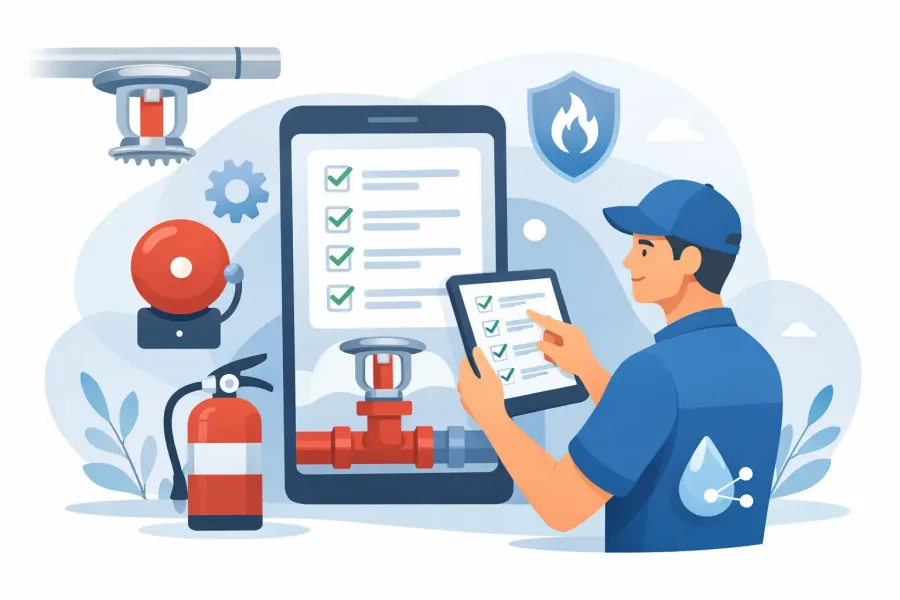
The checklist also needs room for field judgment. A device may be accessible but damaged. A valve may be supervised but improperly secured. A gauge may be present while showing an abnormal reading. Pass or fail buttons are useful, but they are not enough. Look for notes, condition descriptions, photos, deficiency categories, and clear follow-up status.
Most importantly, the app should support the work without pretending to replace the standard, an approved test procedure, the service contract, or the authority having jurisdiction. The applicable edition of NFPA 25, local requirements, manufacturer instructions, and the property's system design still control the work.
Start with the inspection workflow, not the feature list
It is easy to get distracted by dashboards, maps, and flashy reporting screens. Start with the sequence a technician actually follows on site.
A useful workflow begins by identifying the property, inspection date, technician, customer contact, and systems included in the visit. From there, the app should guide the user to the relevant assets and tasks. If the building has three risers, two dry systems, a fire pump, and a backflow assembly, the record needs to make that structure clear.
Asset-level history matters. A technician returning six months later should be able to see the previous condition, prior deficiencies, test values, and open corrective work. That context reduces repeat findings caused by missing information and makes it easier to spot a problem that is getting worse over time.
The finish matters, too. The field record should produce an understandable inspection report with completed items, exceptions, recommendations, signatures if required by the company process, and evidence attached to the right device or system. A report nobody can read is not much better than a clipboard sheet nobody can find.
Build checklists around real system types
Generic inspection forms can create more risk than they remove. Checking a wet-pipe sprinkler system is different from inspecting a dry-pipe valve, a preaction system, or a fire pump. The app should separate system-specific tasks while still allowing a company to standardize how findings are written and tracked.
For example, a control valve inspection may capture accessibility, proper position, supervision, locks or seals, leaks, identification, and visible damage. A pump inspection may need operating observations, controller status, fuel or electrical conditions, pressures, run time, and test results. Each entry should point to the equipment actually observed, not a vague building-wide checkbox.
Customization helps, but too much flexibility can become a problem. A supervisor should be able to update company language or add customer-specific tasks without letting every user create an inconsistent checklist from scratch. The best balance is a controlled core template with intentional, documented variations.
Offline access is a field requirement
Wi-Fi is unreliable in many of the places fire protection technicians work. Cellular service disappears in concrete stair towers, below-grade mechanical rooms, remote pump houses, and large industrial facilities. If an app only works when it can reach a server, it can fail at the exact moment it is needed.
An offline-first app keeps the checklist, equipment data, notes, and inspection progress available on the device. The technician can complete work without waiting for a signal, then synchronize or export when a connection is available. That reduces duplicate entry, missing notes, and the familiar end-of-day scramble to reconstruct a visit from memory.
Offline capability needs to be real, not partial. Before choosing an app, ask whether users can open old records, add photos, complete checklists, and generate or queue reports without connectivity. Also ask what happens if a device battery dies, an app updates, or a user changes phones. Dependable local access should come with a sensible backup and transfer plan.
For trade tools, privacy is part of reliability. Inspection records can include facility names, equipment locations, signatures, contact information, and photos of secured areas. Avoid apps that bury essential use behind ad tracking, unnecessary accounts, or vague data practices. A focused, paid field tool often makes more sense than a free app that treats jobsite data as an audience-building opportunity.
Documentation that holds up after the visit
A checklist app earns its place when the record answers practical questions later. What was inspected? Which device had the issue? Was it repaired, deferred, or left open? Who was notified? What evidence supports the finding?
Photos are particularly useful when they are attached to a specific item and labeled by the app's structure. A picture of a valve without a location or equipment reference may be hard to use weeks later. A photo attached to “Riser 2 - main control valve” with a note describing the missing supervisory status is far more useful.
The same applies to readings. Capture numbers in defined fields when they matter. Pressure, test duration, pump churn observations, and other measured conditions should not be buried in free-text notes if the business needs to compare them over time. At the same time, free-text space remains essential for unusual site conditions and technician observations.
Deficiency handling should be direct. The app should distinguish a completed inspection item from an item that failed, could not be inspected, requires repair, or needs additional evaluation. That distinction protects the integrity of the report and gives the customer a clearer path to action.
Questions to ask before adopting an app
Before moving a whole service team into a new process, run a trial on a real property. Use a complicated site, not the easiest annual inspection on the schedule. Check whether the app handles multiple systems, repeat deficiencies, photos, equipment history, and a report that a customer can understand.
Ask these practical questions during the trial:
- Can a technician complete the full inspection with no cellular or Wi-Fi connection?
- Does the checklist reflect the systems and inspection frequencies your company actually services?
- Can the app document deficiencies with notes, photos, status, and clear equipment location?
- Are records easy to retrieve for a return visit, audit, dispute, or customer question?
- Can supervisors keep templates consistent while allowing approved job-specific changes?
- Does the reporting format fit your company's review, invoicing, and corrective-work process?
Also consider training time. An app that saves ten minutes on a form but requires complicated setup at every property may not save anything. Technicians should be able to understand the next step at a glance, especially when they are working around active building operations, ladders, valves, and equipment rooms.
A checklist is only as good as the inspection behind it
Digital records can improve consistency, but they cannot make an untrained inspection competent. A checklist should prompt observation, not replace it. The technician still needs to recognize abnormal conditions, understand the system being inspected, follow applicable procedures, and know when a finding requires escalation.
That is why the best field apps feel practical rather than theatrical. They keep the work organized, preserve the evidence, and make the next visit easier. They do not bury a technician under menus or assume every property has the same equipment.
Choose an NFPA 25 inspection checklist app that stays useful in the places the work actually happens: offline, hands-on, and focused on a record the next technician can trust.